|
Try It Before You Buy It:
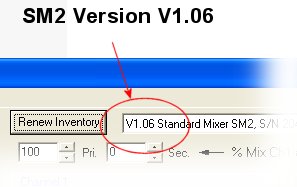
The SM2 Control Panel Application is fully functional with or without the SM2 or DRC-Link hardware. The application supports a simulation mode that allows the user to set all of the SM2 configurations and watch virtual servos move in response to simulated transmitter commands. See the SM2 Application Download link below to get your free, fully functional copy of the SM2 Control Panel.
SM2 Operators Manual:
You can see the on-line SM2 Operator's Manual here, or by clicking the button-link below for detailed descriptions of how to connect and operate the SM2. The version of this manual that runs on your local computer is part of the free SM2 Control Panel download available below as part of the SM2 Control Panel Application.

Configuration Files:
There are several example configuration files for the SM2 that you can download and test with the SM2 simulator. These configuration files are shown below with a description of what each one does. You can download and modify any of these configurations and quickly program your SM2 without having to first familiarize yourself with all of the SM2 features.
If you have a unique configuration that you would like to share, you can email it to info@desertrc.com for possible entry into this table for others to use.
Download Instructions for Configuration Files:
A web page will open when you click on a configuration file link showing the text contents of the configuration file. Configuration files open this way for security reasons and you must save them manually. It's as easy to save them from the web page as it is from other download dialogs, and it is a little safer. After you click on a configuration link and your browser is redirected to the text file contents, use the "Save As..." option from your browser "File" menu to save the configuration file anywhere you like on your computer. These configuration files can be loaded into the SM2 Control Panel Application as described in the SM2 Operator's Manual.
|

 Increase Endpoint Setting Up To 175%